Assistive Technology

Accessibility
Bridging the knowledge and accessibility gap, combatting inequality by empowering individuals with comprehensive access to assistive technology.
Project Type: Instructional design
Client: Santa Monica College High Tech Center
Period: 16 weeks (February 2023-June2023)
Final Instructional Guides
Microsoft 365 guide was created in Word with accompanying recorded tutorials to support students at Santa Monica College who wish to assess assistive features like dictation, transcription, audio recording, and note-taking.
Screenshot of California Community College’s (CCC) portal showing tutorial #1
Project Challenge
Problem
The Santa Monica College Center for Disabled Students lacks the instructional materials necessary to support students in assessing school technologies to their full capacity. Currently, the only way to access support is in-person or via Zoom leaving students with limited options to use self-help resources designed for student use.
Insights
Students with disabilities may avoid support programs due to emotional trauma. This trauma may be exacerbated at SMC due to a lack of assistive technology outside of in-person support mechanisms due to a lack of resources and personnel. Students with disabilities often require comprehensive instructional guides equipped with instructional design printables fully assessable in multiple modularities for students to asses at their own pace. Most college instructional materials are standard PDF full text or text over an image. While this is excellent for desktop readers, it does not provide the best option for those reliant on highly visual guides. With correct PDF accessibility authoring, you should not need to choose between simple and complex documents.
Solution
I created instructional materials for desktop-enabled Microsoft 365, focusing on accessible features like dictation, transcription, text-to-speech voice reader, file hygiene/configuration management, visual notation, and the Microsoft 365 mobile app. These guides follow instructional design printables across documents and are accompanied by edited video tutorials with closed-captioning. Care was taken to ensure PDF usability so that the document reads like a standard essay document while being a visual instructional guide to support the students with increased accessibility needs.
Close to Home
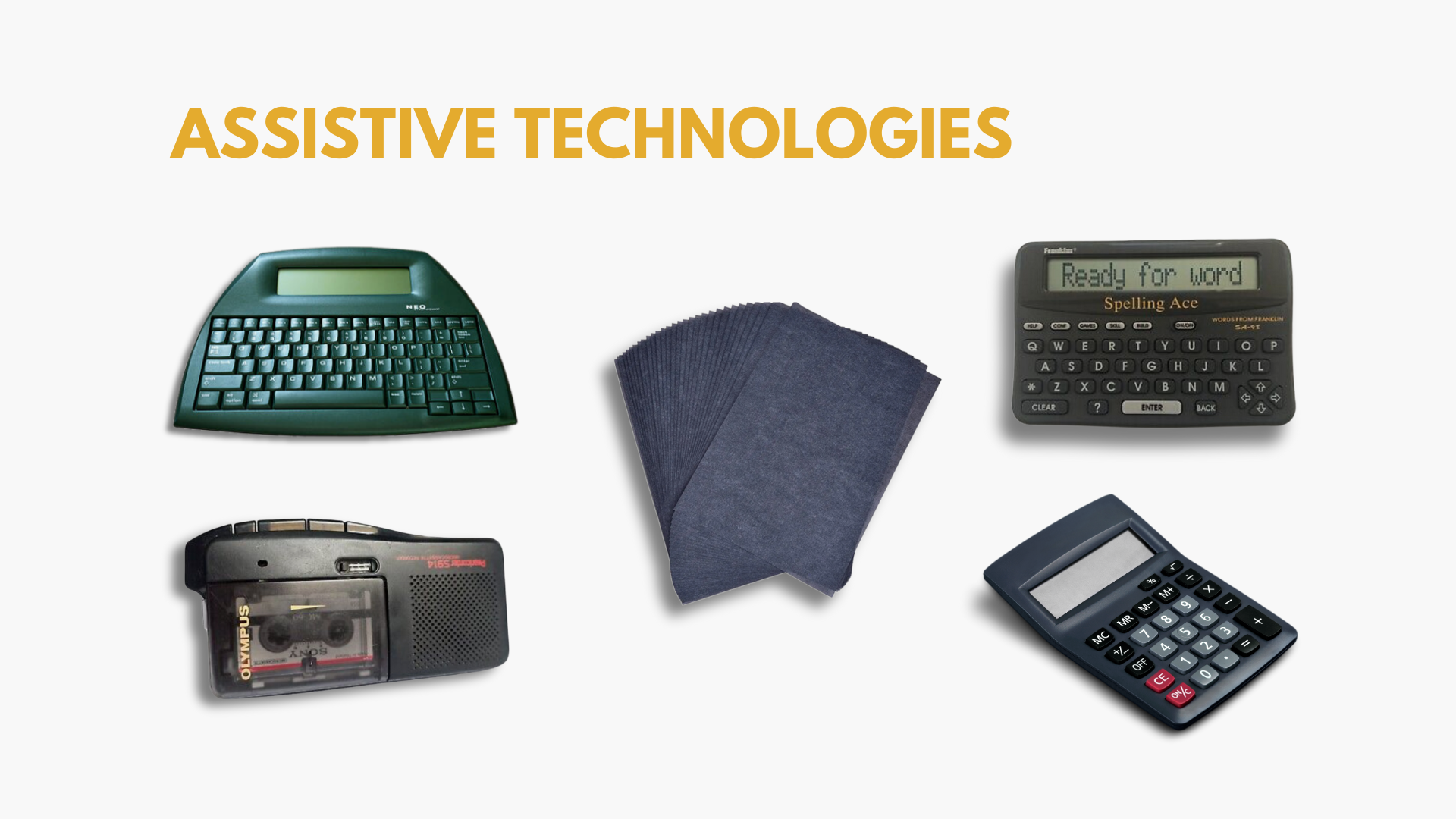
I am a person who was diagnosed with dyslexic thinking. I only learned how to read when I was 13 at the beginning of high school. For assistive technology, I was given these items to assist me. No! They are not from the stone age! This assistive technology was good in theory.
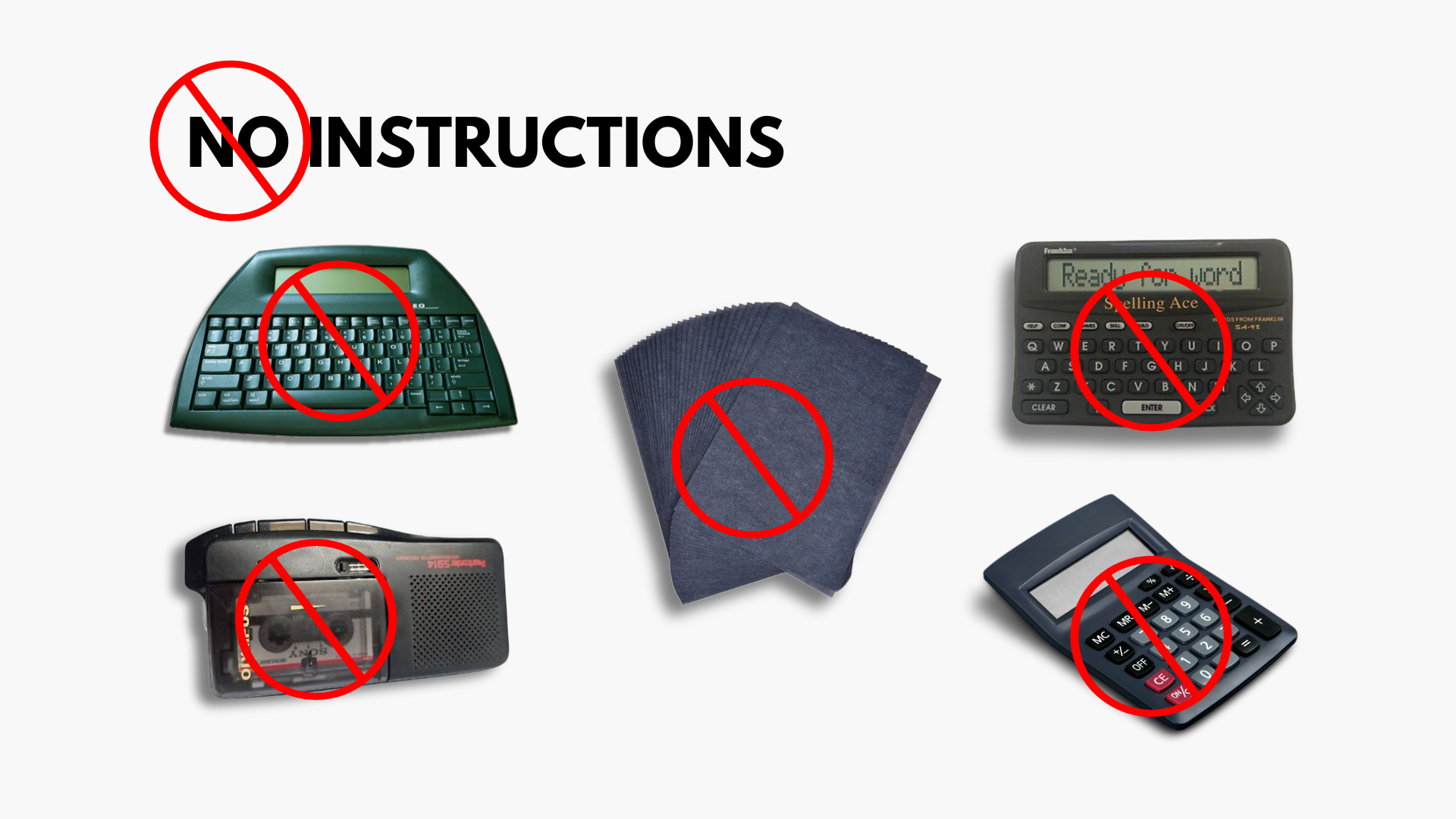
But nobody showed me how to use these aids, nor did they come with accessible instructions.
People often ask me, “Why not ask for help?”

A small sample of comments from conversations with people who have used assistive technology in a classroom or workspace
"Nobody else in this school has access to these tools, and they have to work harder."
“You can’t fall back on tools all the time”
"I don't have the time to help you."
"Tech will make you lazy"
"I don't know how to use that"
A lack of knowledge and access to assistive technology exacerbates inequality
(Manase 4)
This combination of being given tools that I cannot use, and being told how they shouldn't use them, impling that they will make them lazy. It creates a learned helplessness that cripples most students with disabilities and makes them not want to ask for help. Hyper independence is common among people with disabilities.
Research to support
Current Limitations
The only way to receive instructions on accessibility technology at SMC is to go to the High Tech Center or the Center for Students with Disabilities, or you can receive instructions via Zoom. In the previous section, I explained how this could be a barrier for some students to ask for help or get in-person help, which can lead to a traumatic response.
People with educational trauma or anxiety can have hyper-independence, making them choose to suffer over the emotional burden of being forced to be vulnerable. See the quote from Dr. Catharine Gretchell below.
We will have Open Lab hours, but please be aware that faculty may be limited due to varied work hours.
By appointment only.
What is Learned Helplessness?
Learned helplessness occurs when a person who has experienced repeated challenges believes they have no control over their situation. They then give up trying to make changes and accept their fate.
What is Hyper-Independence?
Hyper-independence refers to individual attempts to be fully independent in all things, even when it is not helpful to do so or when they genuinely need help or support from others.
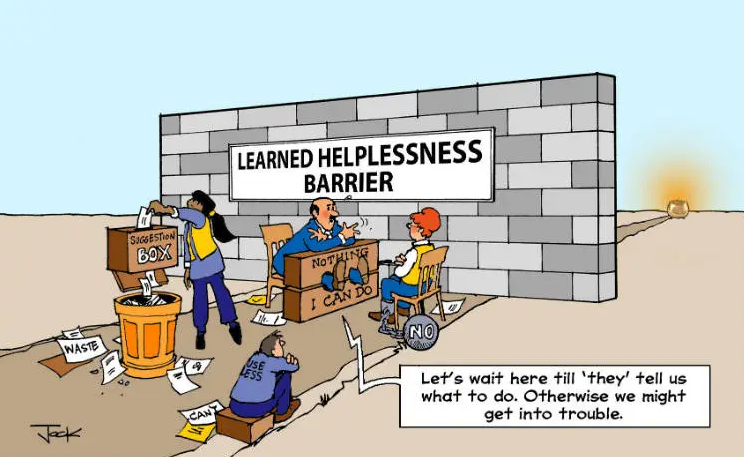
Learned Helplessness Graphic

Carnegie Mellon University
“They tend to be hesitant about using their approved accommodations or taking responsibility for working with their faculty to implement them and hesitant about asking for help if needed.”
Research professional’s insights & collaboration
Collaboration
Santa Monica College Technology Mission: "To promote universal access to information technology and utilize state-of-the-art technology to achieve its goals,"
I have been to numerous schools across the USA and the UK, and we still lack tools to help students empower themselves with assistive technology. Santa Monica College is one of those with limited instructional materials for assistive technology.
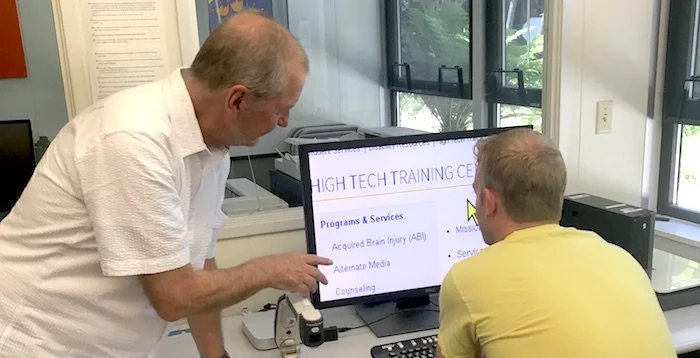
So I communicated with the Center of Students with Disabilities and connected with the High Tech Department to see how I could help support students like myself.
Meet the Team


Arron French
Alternate Media Specialist
Corrine Haynes
High Tech Training Center Specialist
How they responded to my proposal
"We were talking about how we need this, just the other day"
— Arron French
"A high area of need!"
—Corrine Haynes
Agenda
Instructional guide
Create instructional guide in Microsoft 365 Word.
Instructional Videos
Create instructional videos to be hosted on the CCC network.
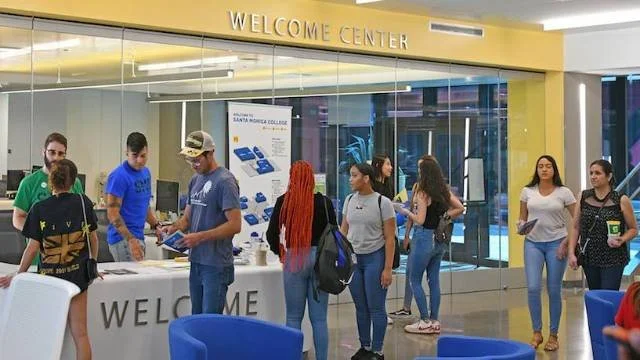
Upon my second meeting with Carrine, I was able to observe the interactions she had in her office. Within 30 minutes of our meeting, she had two inquiries about text-to-speech and recording software. The proof was in this meeting.
-CDS Staff
"Do we have an app or some kind of platform that we use to upload readings, and it reads it out loud to students?"-CSD Staff
-Walk-in student
"Is there some way I can record my lectures?"
-Carrine Haynes
"Can we do them in Word format to be made into PDF? It makes them easier for us to handle."

Nooooooo!
This made me panic as Word and I don't have the best relationship. However, I saw this as an excellent opportunity to better understand the software and the accessibility features within it.

Lego image with a scared face
So what is Instructional Design?
Robert M. Gagné is considered the creator of instructional design. He developed the "Nine Events of Instruction" model, a systematic approach to designing effective learning experiences. Instructional design involves creating instructional materials that optimize learning outcomes by analyzing learner needs, setting objectives, and employing appropriate strategies and technologies. The field focuses on designing engaging and meaningful instruction to facilitate effective learning.
Reading and Research
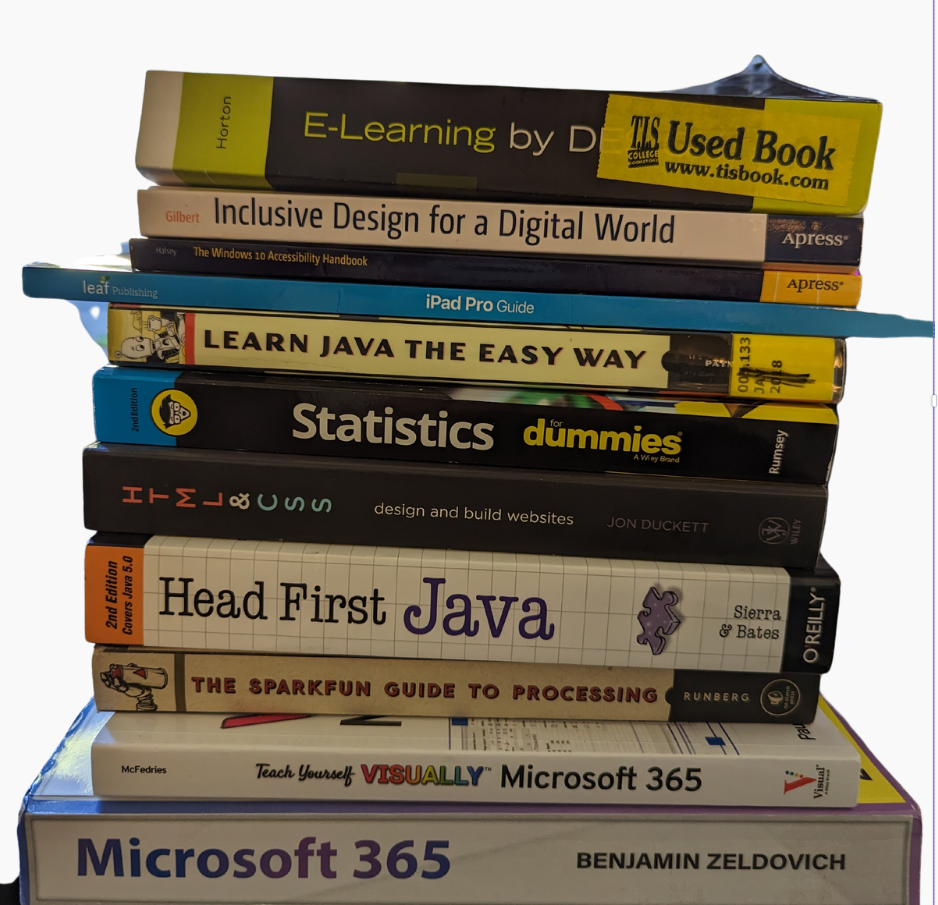
Image of some of the books reviewed for project
I purchased several guides and accessibility books to reference. I also took a class on accessible writing in UX and a course on UX designing for accessibility. These Learning courses helped me create a good flow for my instructional videos.
It was vital for me to create PDFs and videos.
What is Chunking?
Instructional design chunking involves breaking down information into smaller, manageable units to enhance learning and retention. It helps learners process and understand complex content by reducing cognitive load and facilitating comprehension and retention.
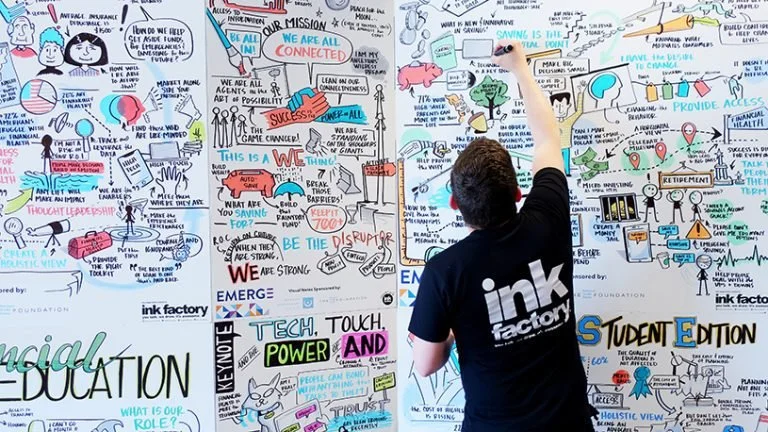
Meeting with Ink Factory
“When a teacher is teaching, what they're doing, really,is telling a story about something they're passionate about. And when a student takes visual notes, what they're doing is making that story visible”
— Dusty Folwarczny
Founder, Chief Vision Officer | she/her
Senior Studio Scoping Experiments
Experiment 1 tiny test Big learn.
Goals: Identify assumptions about your project through "assumption-storming."
Observations and insights
Conversations and observations confirmed that people need a range of instructional materials in different modularity to assess information.
Insights:
"BW looked cheap and boring."
Cortney
"These are boring; id rather watches a video."
Cortney
"I search u tube. It's faster and more specific."
Melissa
"do not want to waste brain power on unnecessary steps."
-Erin
Experiment 3 Level Up
Goals: Identify observable behaviors and outcomes as indicators for your experiment. "Shared Rituals + Behaviors"
Observations & Insights
I ran a paper experiment to see how people responded to specific Colors, also seeking to observe people’s visual sketch memory. During this experiment, my pdf had spelling errors. This was not deliberate but gave some interesting insights. It reminded me of a paper I read about using deliberate mistakes to heighten student attention. I felt that the few documents with errors were less likely to have missed questions.
Note-Taking Insights
Red is almost always negative or important
People will stick to grammar symbols
The youngest person to interview drew a pictures
Insecure about drawing
Experiment 3 Intergalactic
Goals: Embrace ambiguity and maintain space for multiple paths that might exist. "Renewal of a universal language of visual note taking"
Observations and Insights
I purchased a book called From the Ground Up by Bing Xu to observe how people would react to a book written initially with symbols, icons, and emojis. People were curious and confused it attracted a lot of attention.
Insights:
I watched people laugh and read over people's shoulders
some people understood the flow straight away and wanted to read
some people chose to take on the challenge organically
others did not like that it took too long to decode
"Book was a walking persona,"
Yena
Current Guides
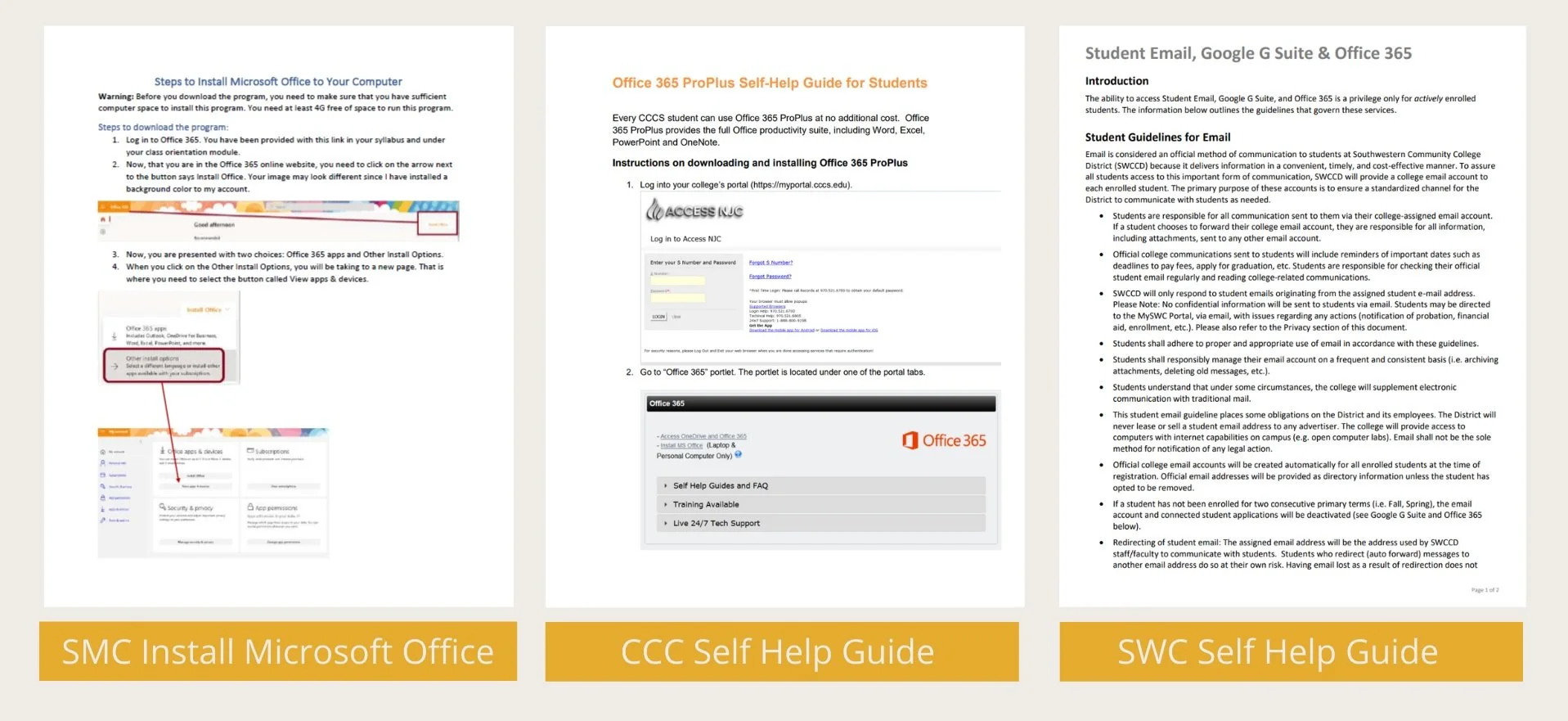
Here is a sample of instructional guides provided by colleges. The format of reading left to right with images directly under allows screen readers to read clearly.
The third sample (far right) is a more classic instructional design document and would require minimal editing. These are great for screen readers but exclude those who need help and require visuals to follow.
“So why can't we have both?”
Problems with Microsoft Word
Microsoft Word struggled with complex documents due to limitations in handling intricate formatting, compatibility issues with other software applications, performance and stability issues, and limited support for advanced document structuring.
The Office Memes
Word can choke on complexity, so I spent much time waiting for the document to stop feeling frazzled so I could start again. While the stakeholder asked me to make this a Word document, and I took on the challenge, I learned that I would never recommend it for complex document formatting.
Formatting became a massive issue due to the chunkiness of the Microsoft software. If I were to do this again, I would go with my first instinct and use Adobe InDesign for its functionality. However, depending on budget restrictions, Google Docs may be a better platform for this document type.
Lessons learned
Meme from Graphic Design Butcher
Video of pdf with pages turning
“It’s a balancing act”
I wanted the product to be highly visual and comply with accessibility practices. I followed the instructional design principles to ensure the best effective learning outcomes. The content is organized and chunked with the use of universal icons and typography.
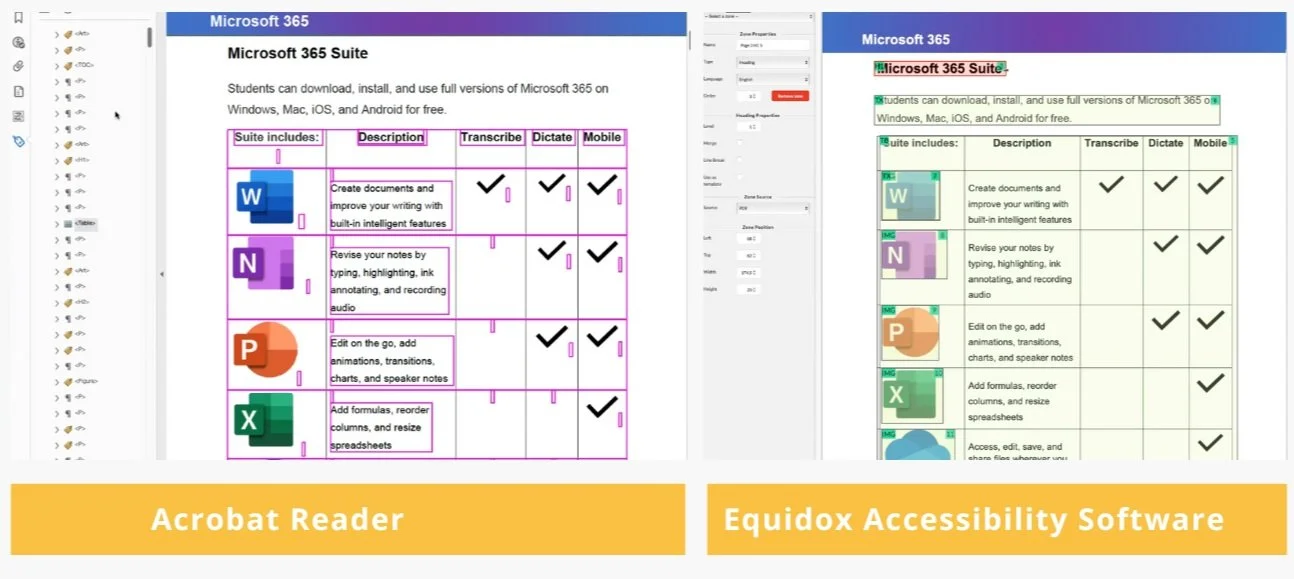
Once the document was complete and passed the accessibility checker within Word, I exported the product to Adobe Acrobat Reader. I chose this program because it's the best benchmark PDF reader and comes with a free basic package. I was surprised to see the work that goes into a document to make it desktop reader-friendly.
The PDF must be correctly authored. This helps with programming a reading pattern and ensures screen readers can navigate it easily, ensuring a smooth flow to the document. I found Adobe's program to be complex and stressful to work with and visually hard to follow. The UI is horrible as it lacked instructions and provided a complex layout. As you can see from the slide, the left panel was crowded and overwhelming. Whenever I tried to adjust an issue, it was like building a house out of a deck of cards. One false move and the whole thing fell apart.
Equinox is a PDF accessibility software with a superior graphic user interface, allowing me to edit the reading pattern while avoiding a snowball effect of errors.
Final Thoughts:
Adobe needs to improve its current PDF accessibility authoring software.
Editing Instructional Videos
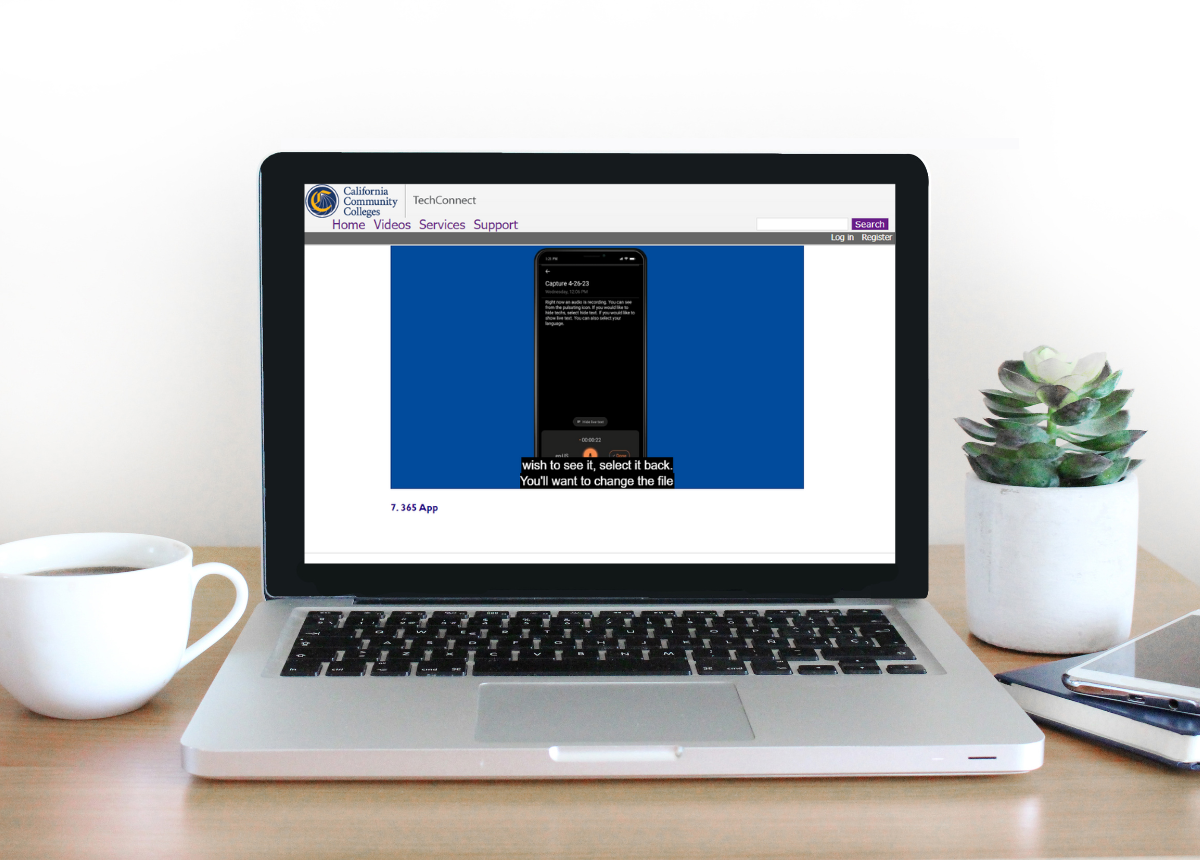
Image of the laptop showing 3c portal
These instructional videos followed the SMC style guide and had vital branding elements. Having SMC's own branded guides helps the college promote its values and culture of supporting students with disabilities and also makes the students feel important and supported by the facility.
I broke the videos into small chunks following guidance from instructional design principles as it allows for better retention of information, helping to support the student and keep it manageable.
I made the tutorials visually easy to follow by using the OBS system to help zoom in and highlight action areas. I enlarged my mouse to make it easier to track. Then finished them in Adobe Premier Pro and added an accompanying soundtrack.
Scripts are provided so captions can be optional within the network and not embedded into the video.
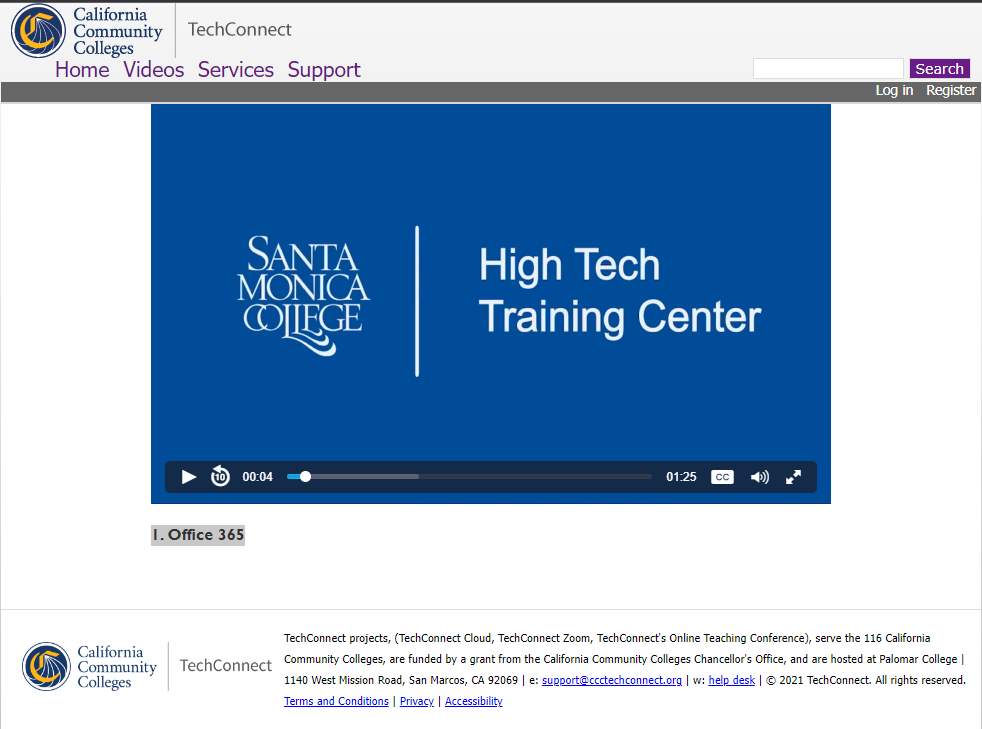
Instructional Videos
I created seven instructional guides currently housed on the California Community Colleges TechConnect portal.
1. Office 365
5. OneNote
6. Audio_Word
7. 365 App
Final Thoughts
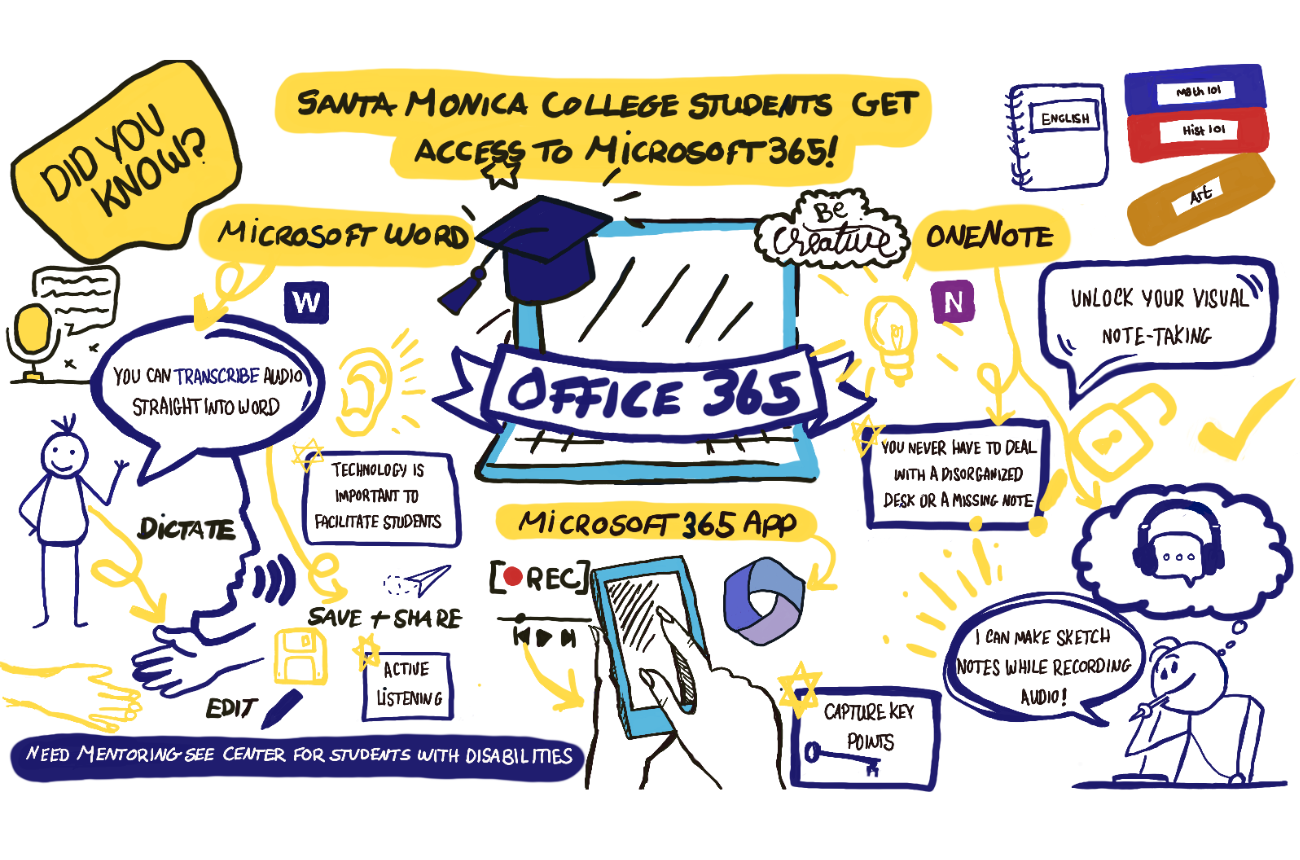
Visual note-taking Office 365
I learned to be more understanding of what people go through to make documents accessible. However, creating highly visual documents that read like standard documents can be done with more effort on the author's side and is essential for accessibility. More consideration of instructional design in disability educational and workplace settings can support this.
I believe we should have a more transparent way to use affordable or accessible software programs for PDF accessibility authoring, as current options can be overwhelming and costly.
Artificial Intelligence (AI) has significantly changed assistive technology and services. AI could provide solutions that put everybody at the same level, with or without disabilities.
With eye-tracking programs, image recognition software, and the ability to decipher and summarize text, AI provides an opportunity to close these gaps in education and costs.
Testing
Sam Heinrich
“Although the educational materials are live and ready to assess, SMC high tech center has had no feedback at this point due to the release being at the end of term. However, I released the pdf document to numerous students and discord channels, and the feedback was positive. ”
"Combatting learned helplessness with tools to enhance learned optimism."
— Samantha Heinrich